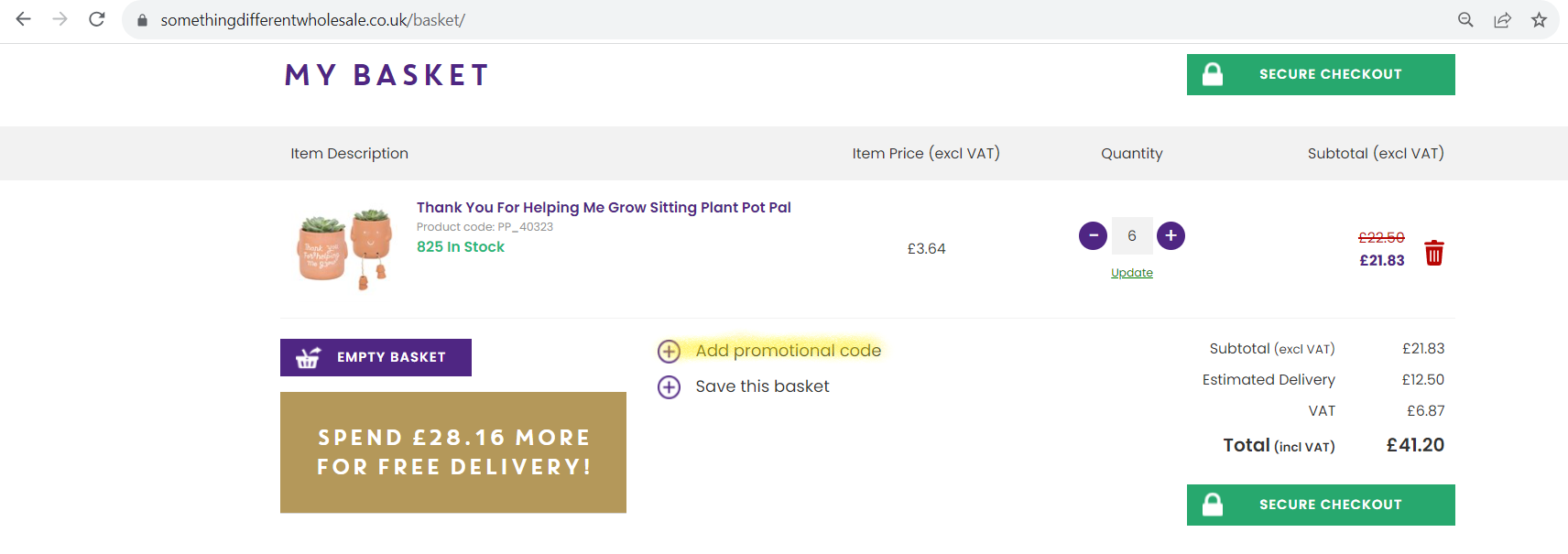
You can add a promotional or discount code on the Basket page before placing your order.
- Add the products you would like to order to your basket.
- Go to the Basket page.
- Scroll to the bottom of the page and find the ‘Add Promotional Code’ box.
- Enter your promo code or discount code.
- Select ‘Apply’.
- Check your basket total to make sure the promotional discount has been applied.
Promotional codes do not apply to:
- Tarot cards
- Books
- T-shirts
- Products already included in another promotional offer
- Sale items
- Deal of the Week items
- Clearance items
If your basket contains excluded products, the promotional code will not discount those items.
Other terms and conditions may apply to individual promotional codes.
For full details, see the Something Different Wholesale Terms and Conditions.
FAQs
Where do I enter a promo code?
Enter your promo code in the ‘Add Promotional Code’ box at the bottom of the Basket page.
When should I add my discount code?
Add and apply your promotional code while you are on the Basket page, before placing your order.
Why is my promo code not working?
Your basket may contain products that are excluded from promotional codes. Excluded products include tarot cards, books, t-shirts, Sale, Deal of the Week and Clearance items, and products already included in another promotional offer.
The individual promotion may also have its own terms and conditions.
Can I use a promo code on Sale or Clearance products?
No. Sale and Clearance products are excluded from promotional codes.
Can I use a promotional code on Deal of the Week products?
No. Deal of the Week products are excluded from promotional codes.
Can I use a promo code on tarot cards, books or t-shirts?
No. Tarot cards, books and t-shirts are excluded from promotional codes.
How do I know if my promo code has been applied?
After selecting ‘Apply’, check your basket total. Any eligible promotional discount should be shown and deducted from the total.
Related Articles
Was this article helpful?
That’s Great!
Thank you for your feedback
Sorry! We couldn't be helpful
Thank you for your feedback
Feedback sent
We appreciate your effort and will try to fix the article